
How to design a feature that accommodates the complex organizational structures of distributor agencies?
We identified the distribution sector as the ideal customer profile for Ordr, but a major bottleneck stood in the way: the need for multiple access controls to replicate complex org structures. Our solution was well-received and resulted in an 80% migration rate from the waitlist.
- Product
- Ordr (CreditBook)
- Industry
- FinTech / B2B SaaS
- Role
- Lead Product Designer
- Timeline
- 12 weeks, shipped January 2024
- Team
- Khadija Shahab (PM), Fatin Nawaz (Service Design), Avinash Kumar, Karan Kapur (Eng), Fariha Tahir (QA)
Problem
No Multiple Users Support on the Platform
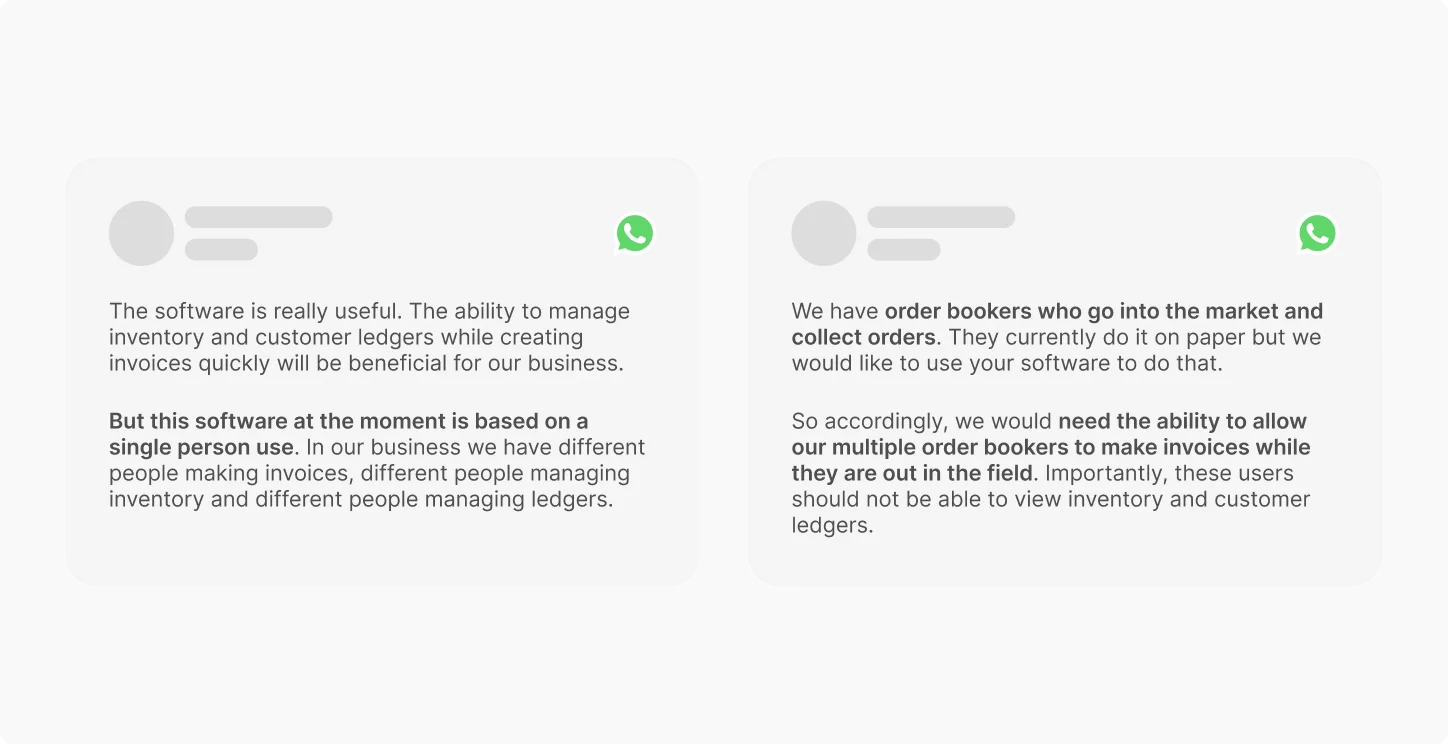
While determining the most suitable customer profile for Ordr, I identified the distribution sector as the most compatible market by analyzing usage patterns across our user base.
When we engaged with distributor agencies, a significant bottleneck emerged: they struggled to migrate their business to Ordr because the platform couldn't replicate their organizational structure. They required multiple access controls (MAC), a management feature enabling varying levels of autonomy and control for their workers. Ordr was initially designed for single-account users, making this a critical limitation.
Context
Mapping Multiple Access Controls
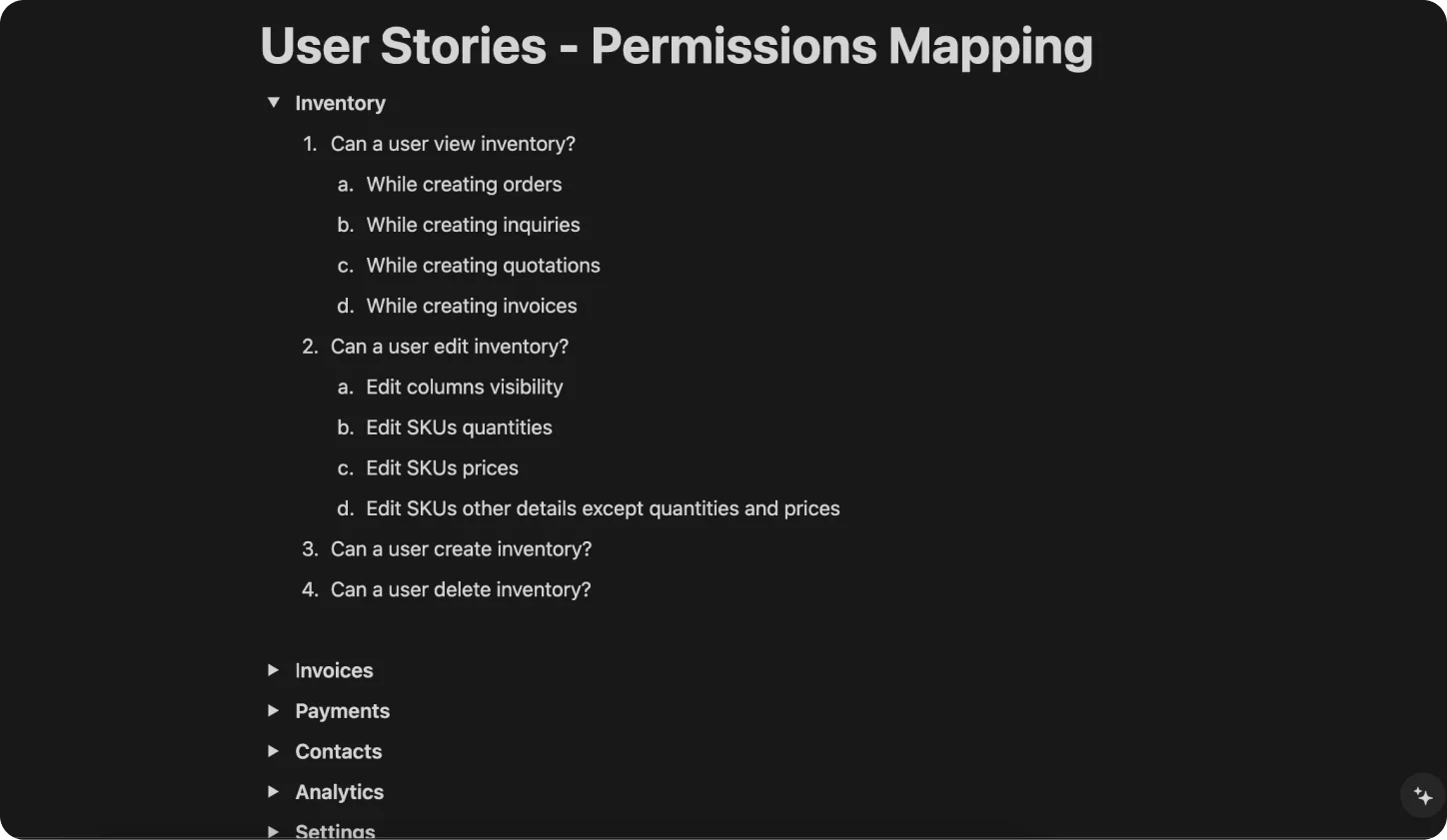
Recognizing the necessity of this feature, the product team prioritized the design of MAC. I identified that before designing, a thorough mapping of different user roles and customizable permissions was needed. The product team agreed, and we focused on mapping permissions in the form of user stories across all modules of Ordr, including invoicing, inventory, order center, contacts, and ledger.
Goals
Unlocking New Capabilities with Ordr MAC
1. Replicate organizational structure. Enable distributor agencies to mirror their internal structure on Ordr, allowing for varying levels of autonomy and control among workers.
2. Enhance user management. Design a flexible and intuitive MAC feature to accommodate different user roles and customizable permissions across all modules.
3. Facilitate business migration. Provide a solution that encourages distributor agencies to migrate their operations to Ordr, expanding the customer base and market reach.
Analysis
Identifying Industry Best Practices and Design Patterns
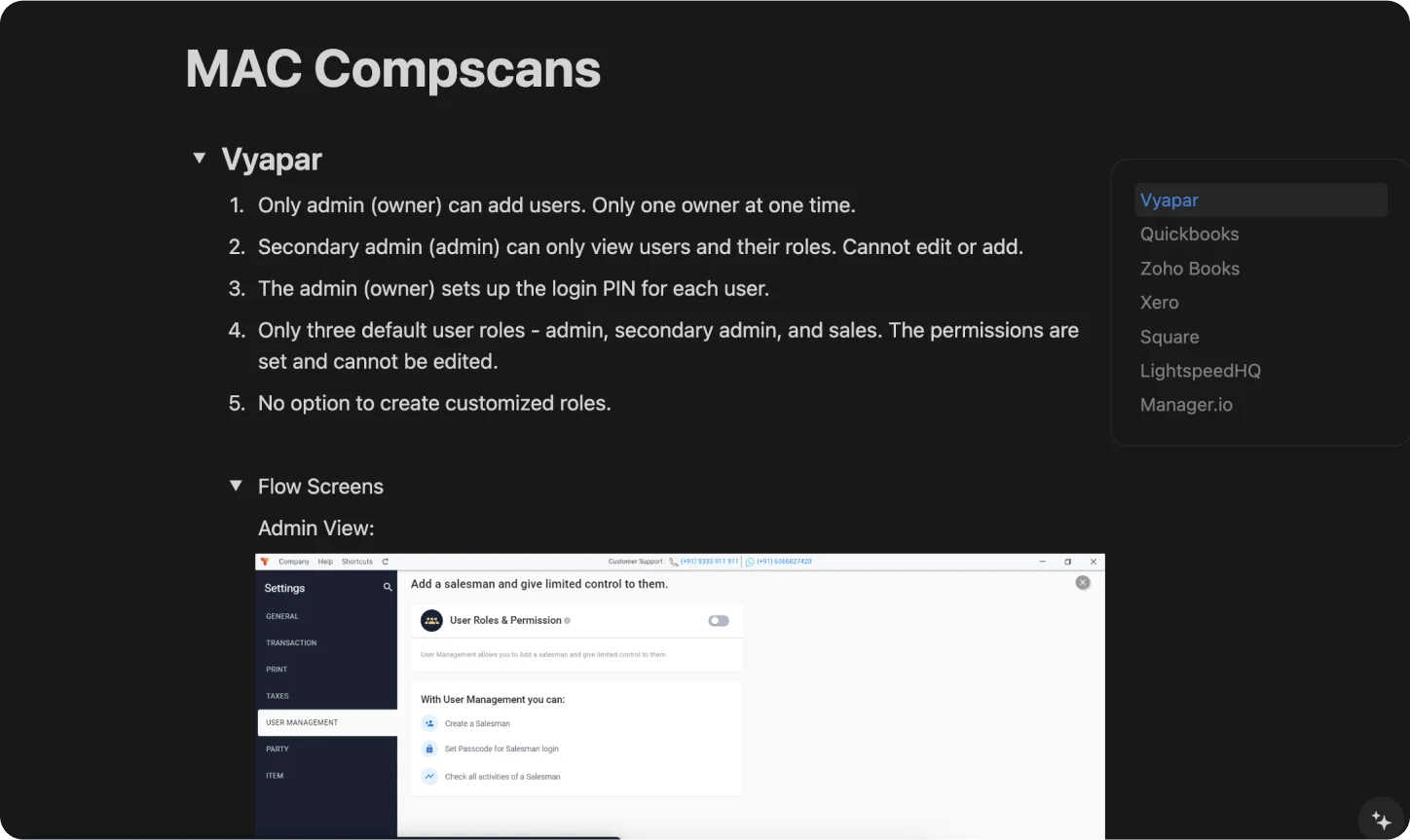
User management features are nothing new. I kicked off the process with a competitive analysis, examining how seven direct and indirect competitors offered multiple access controls on their systems. This revealed several strong, recurring design patterns that I used as a guide when designing the feature for Ordr.
Design
Translating Logic and Insights to a Visual UI
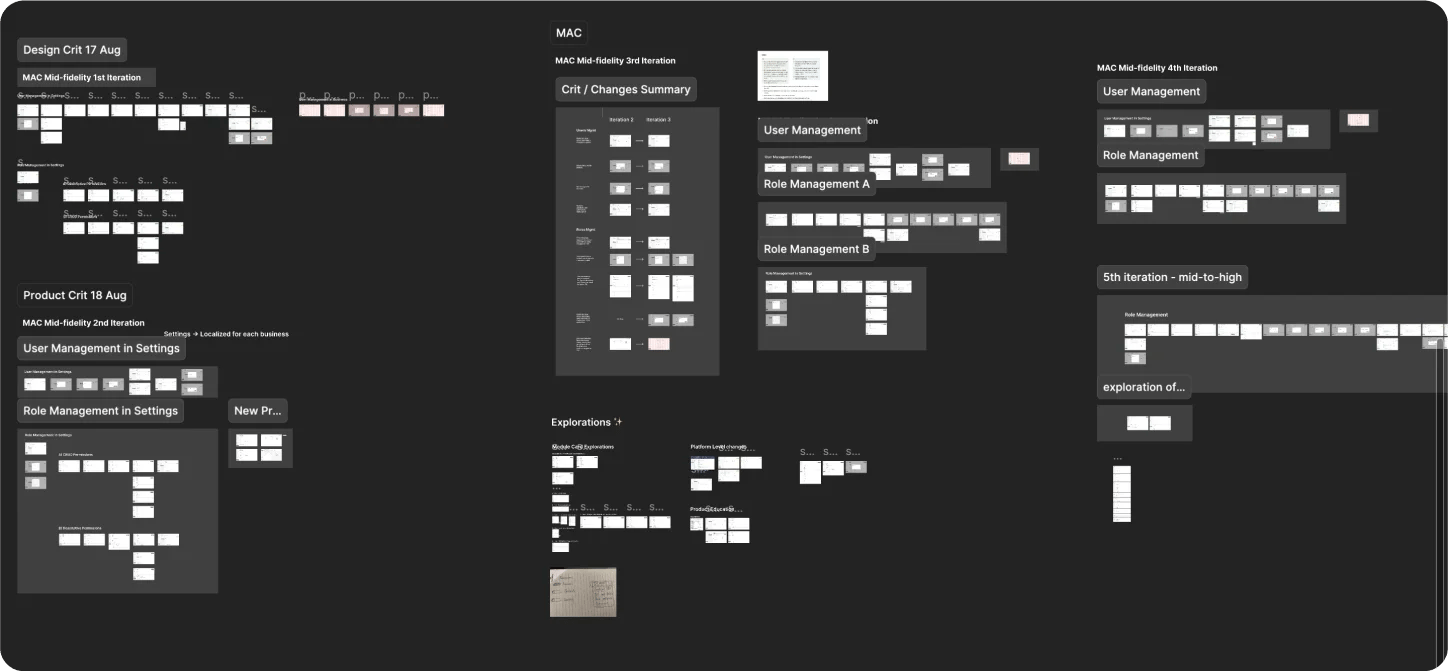
With learnings from competitive analysis and a comprehensive map of user permissions, I turned my attention to designing the MAC module. Over five iterations, I explored various ways to introduce this feature while adhering to industry best practices and ensuring an intuitive experience.
Iterations (scroll to see all)
Paper sketches
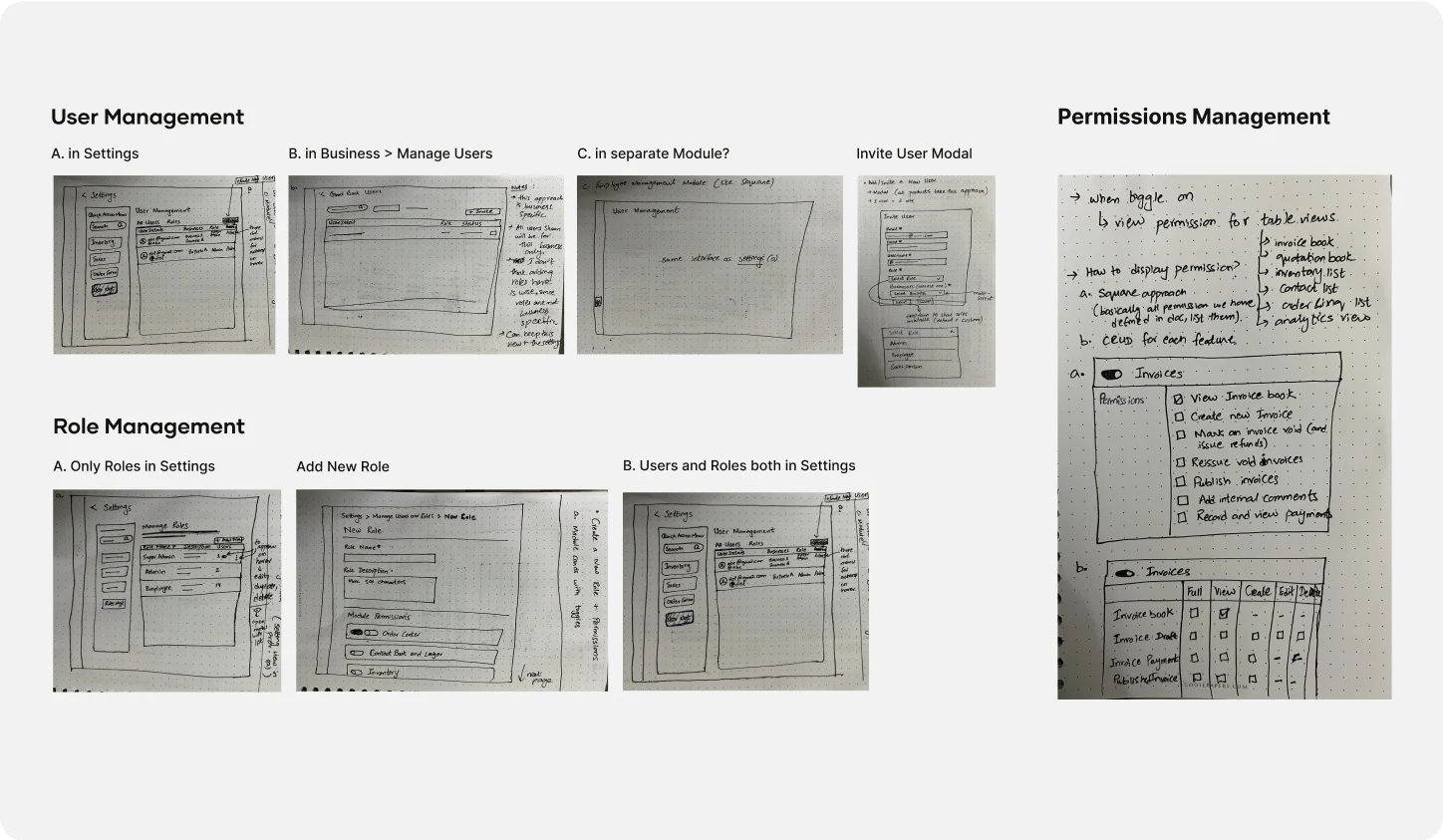
I started by rapidly ideating on paper, visualizing how the patterns identified in competitive studies would translate onto Ordr.
1st iteration
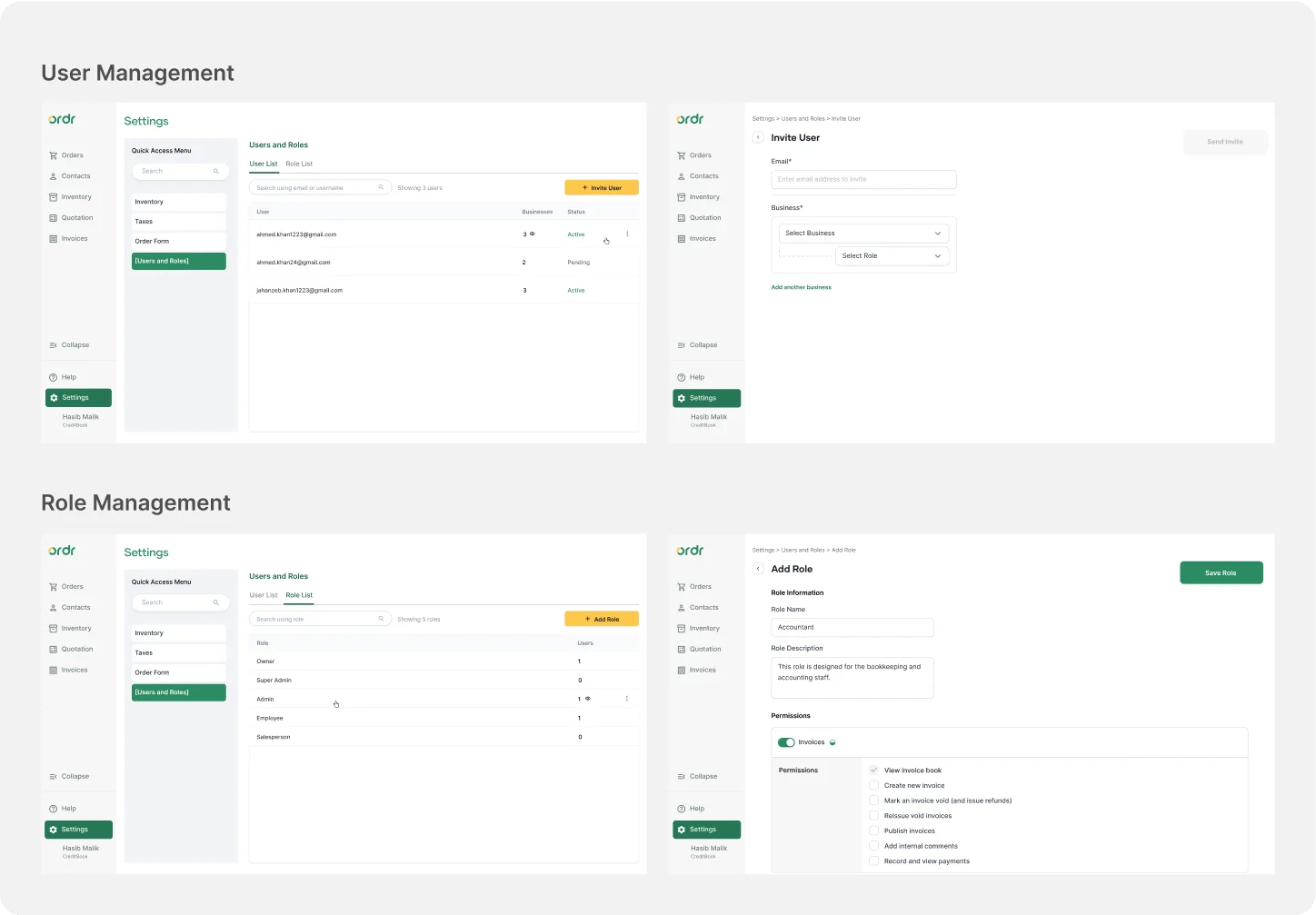
In line with industry practices, I divided the feature into two parts: User Management (invite and edit users) and Roles Management (create role templates with specified permissions).
2nd iteration
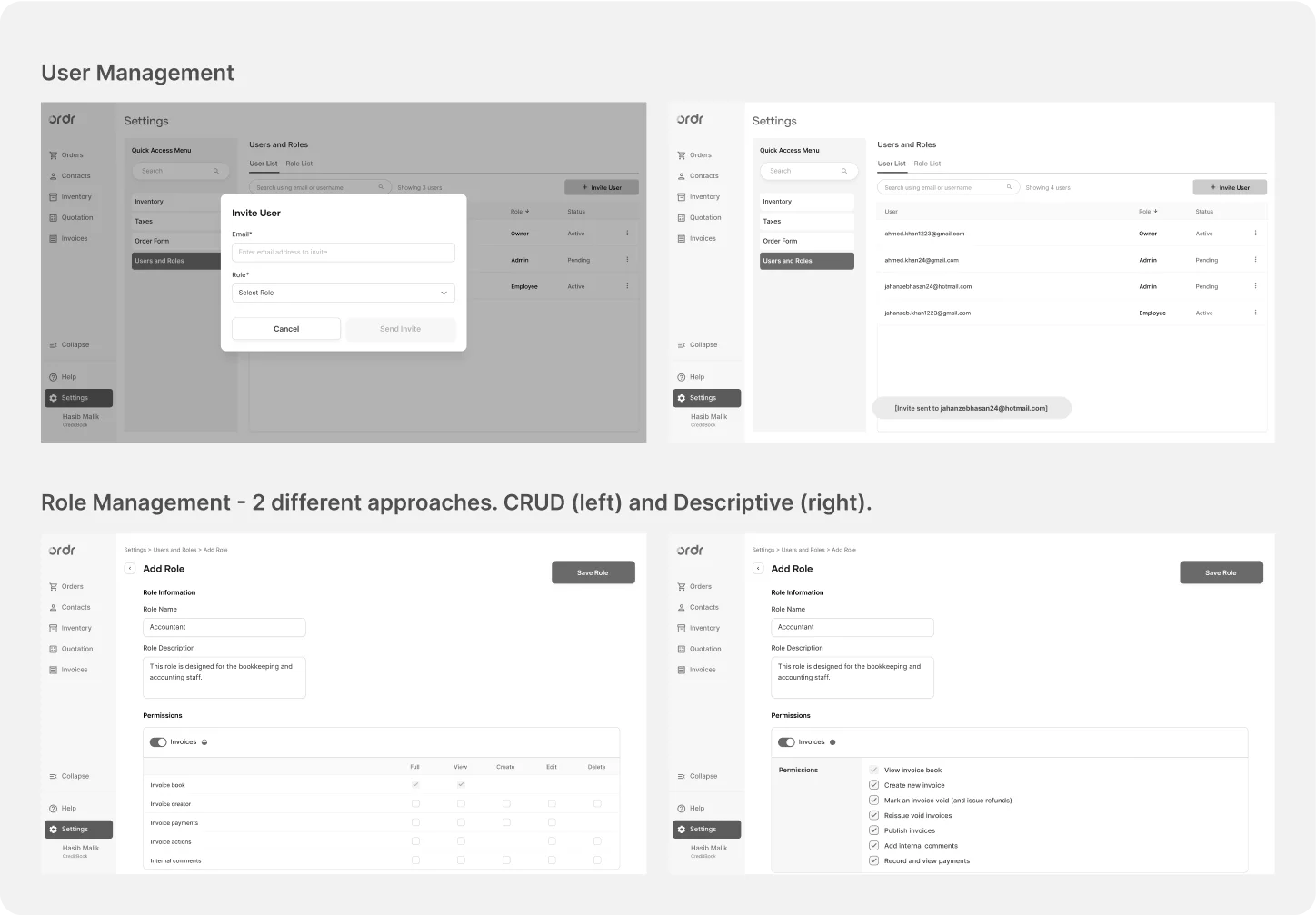
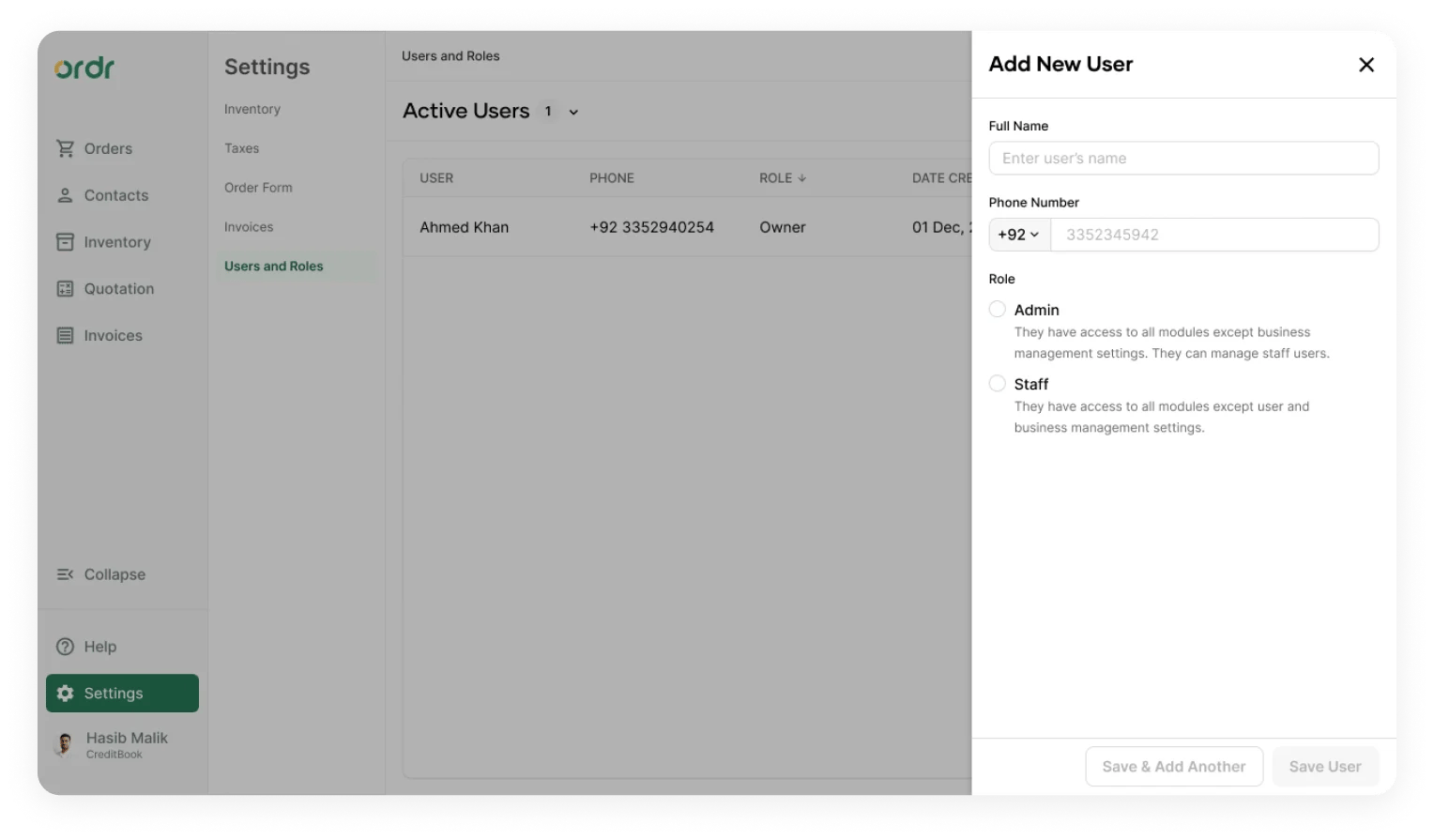
Testing revealed we were executing user management in an unnecessarily complex way. I localized Settings to each business profile, simplifying user management so much that a dedicated creation page was no longer needed, so a modal sufficed.
3rd iteration
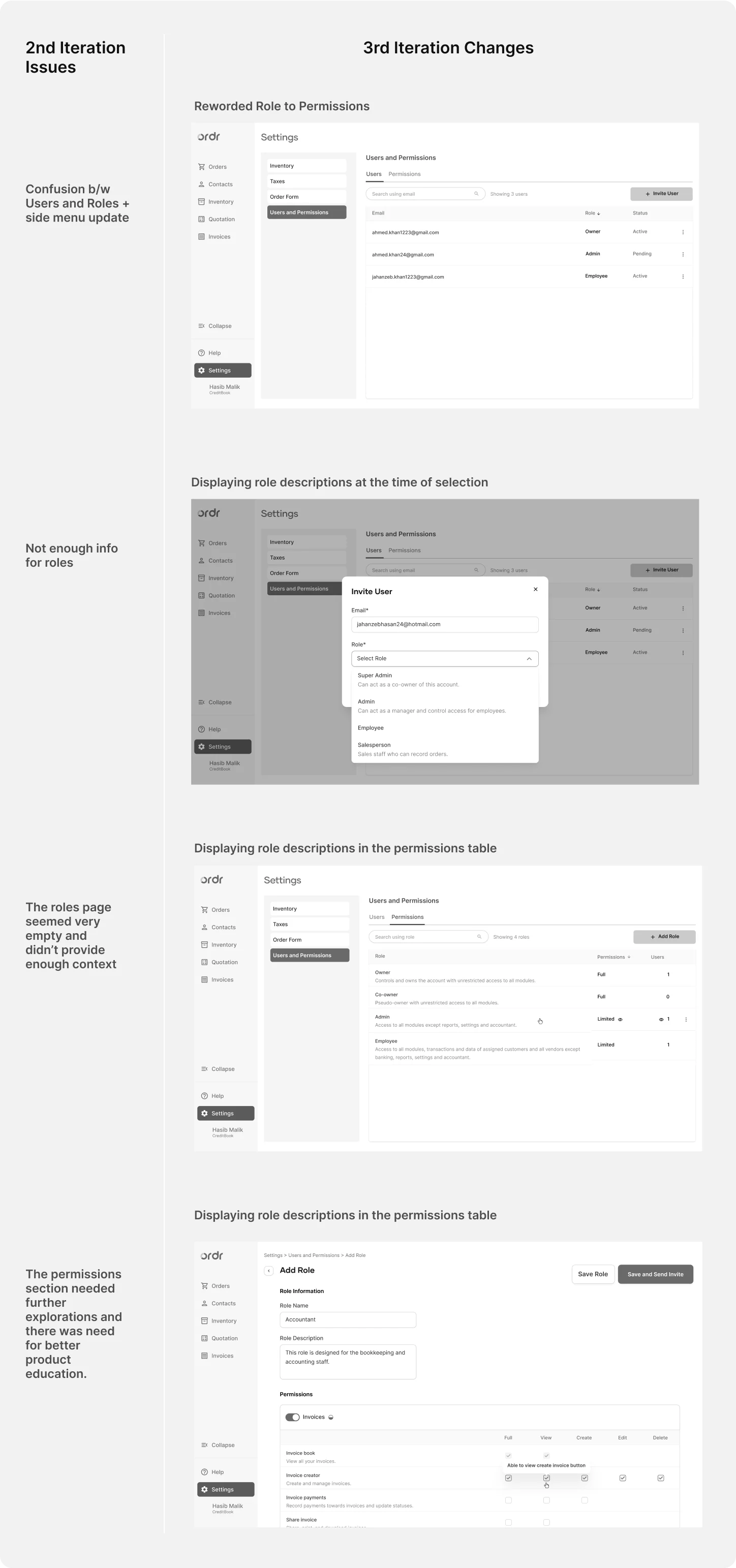
The structure and flow were settling. User management was nearly complete. The remaining focus was role management, specifically how to lay out permissions: CRUD checkboxes, descriptive stories, or a combination of both.
4th iteration
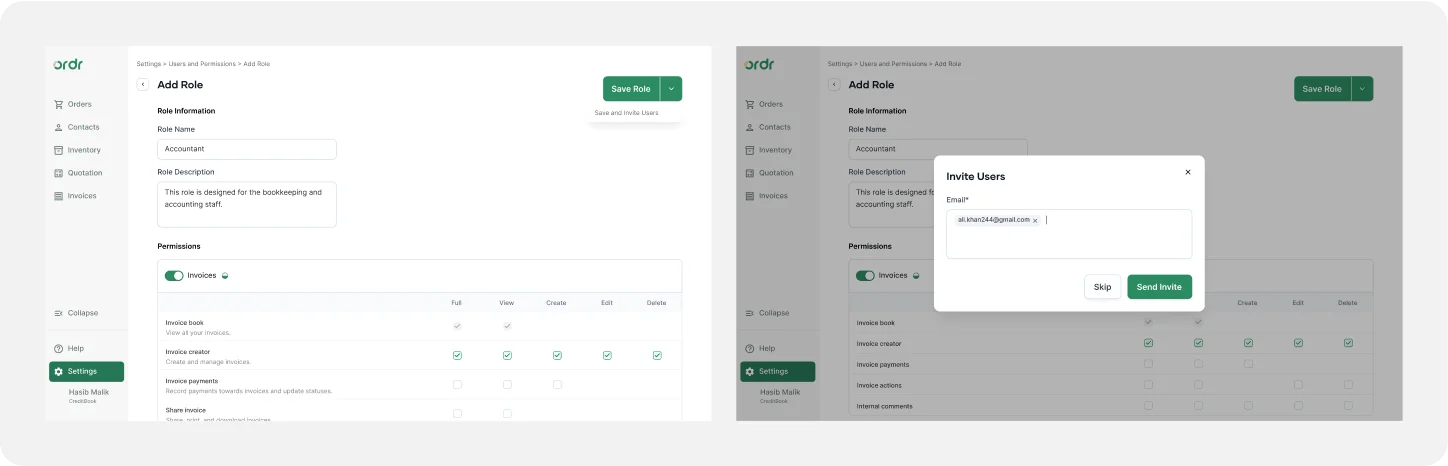
The main addition was the ability to send invites immediately after creating a role. Users expressed the desire to shortcut from role creation directly to inviting users, so I connected the two journeys.
5th iteration
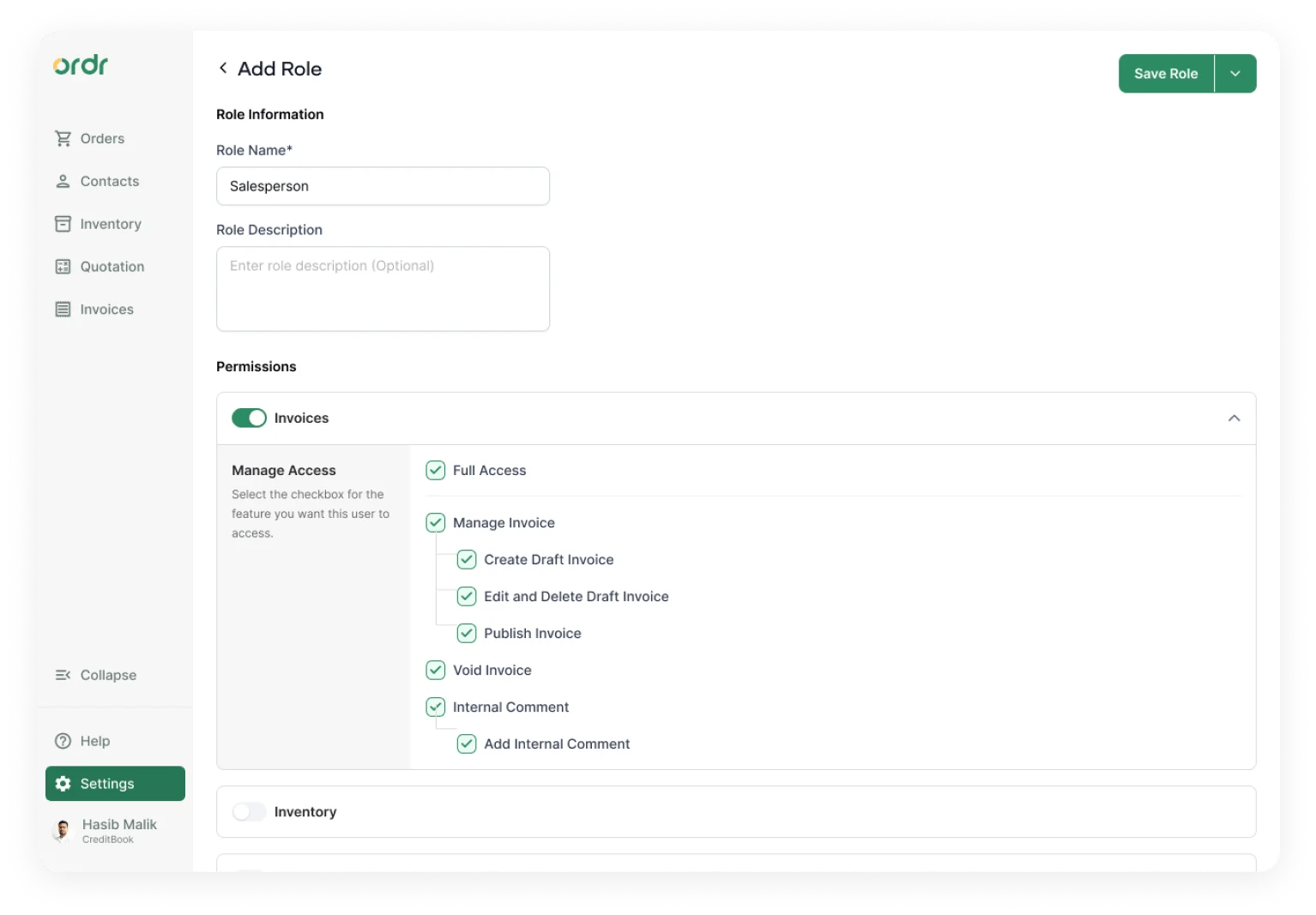
Most effort went to edge cases. A key update was reverting to descriptive permission stories from CRUD checkboxes. Developers flagged a feasibility concern, and product decided to ship descriptive stories first and iterate later.
Solution
A Comprehensive User Management System
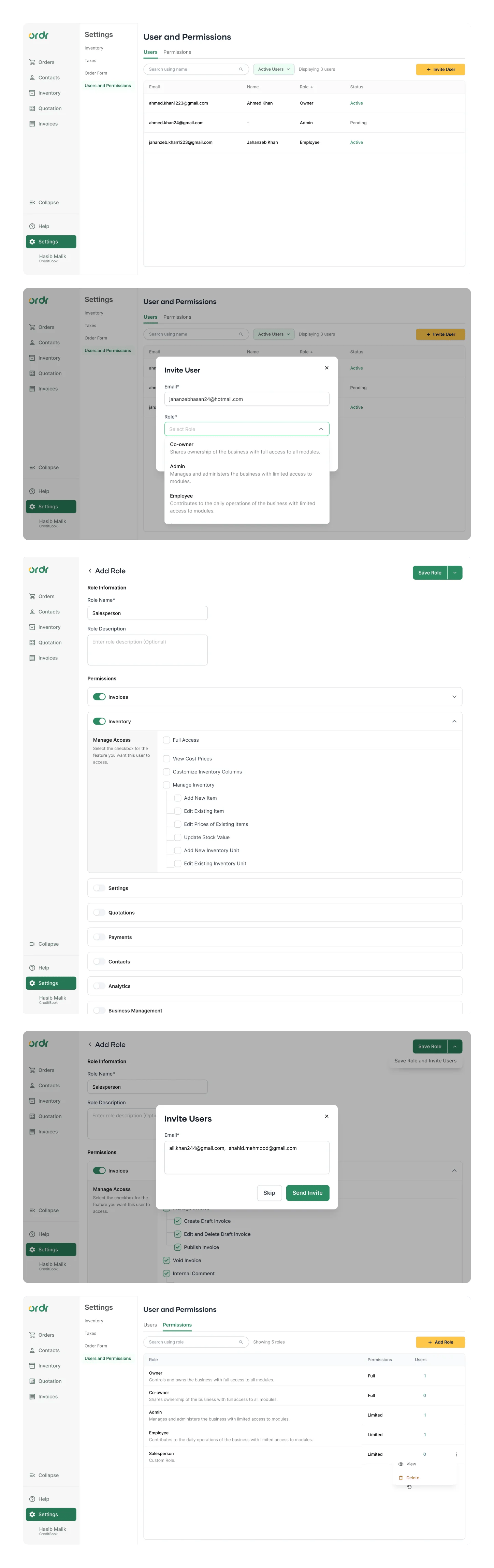
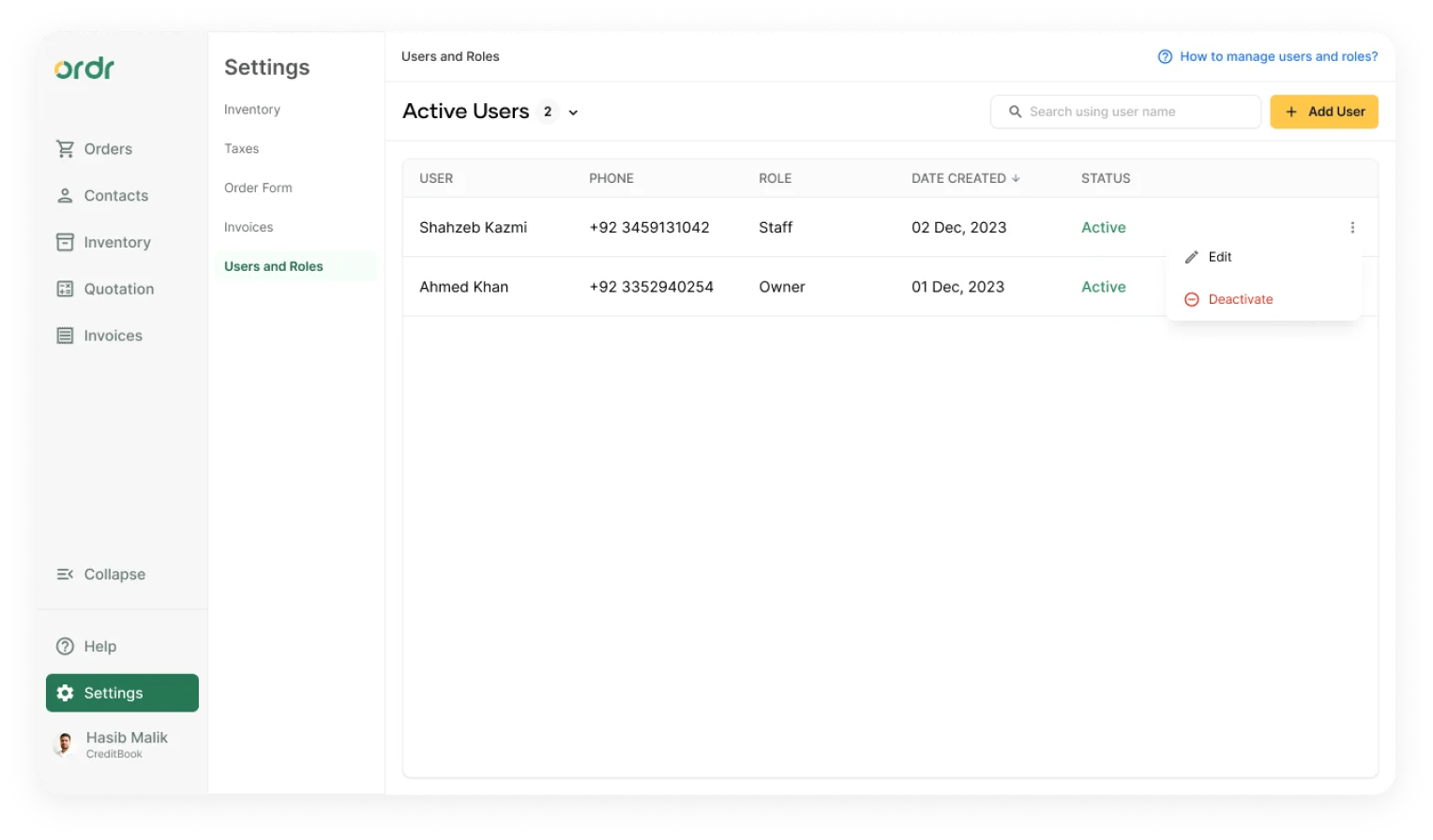
After handing off the designs, engineers revised their effort estimate and the new delivery date didn't align with customer and product expectations. After discussions, product decided to release a leaner version first: user management only, then follow with customizable roles in a subsequent release.
With this iteration I also revised the general layout of the UI, informed by the design system project I was working on simultaneously, which further refined navigation and information hierarchy.
Results
Successful Market Adaptation
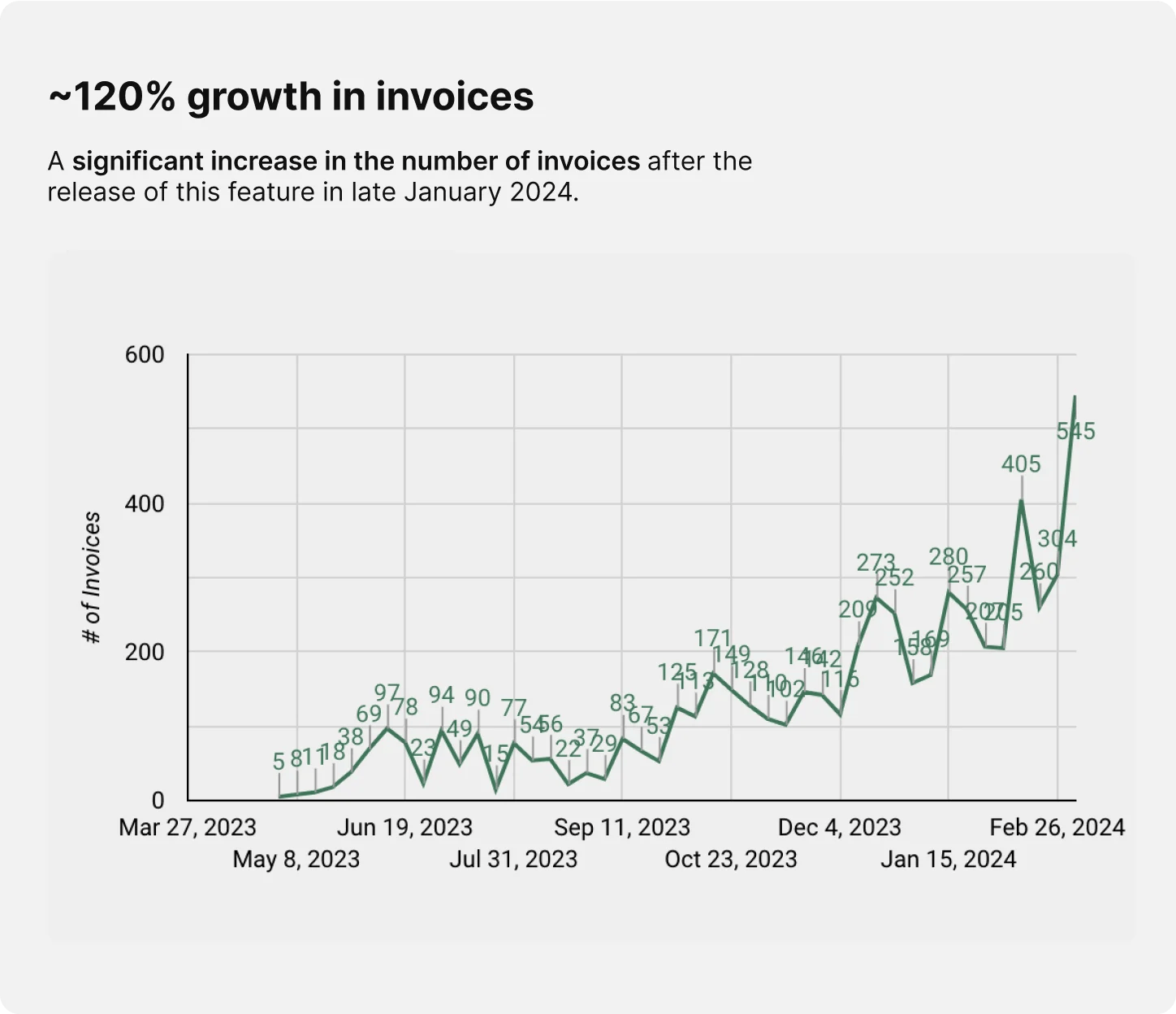
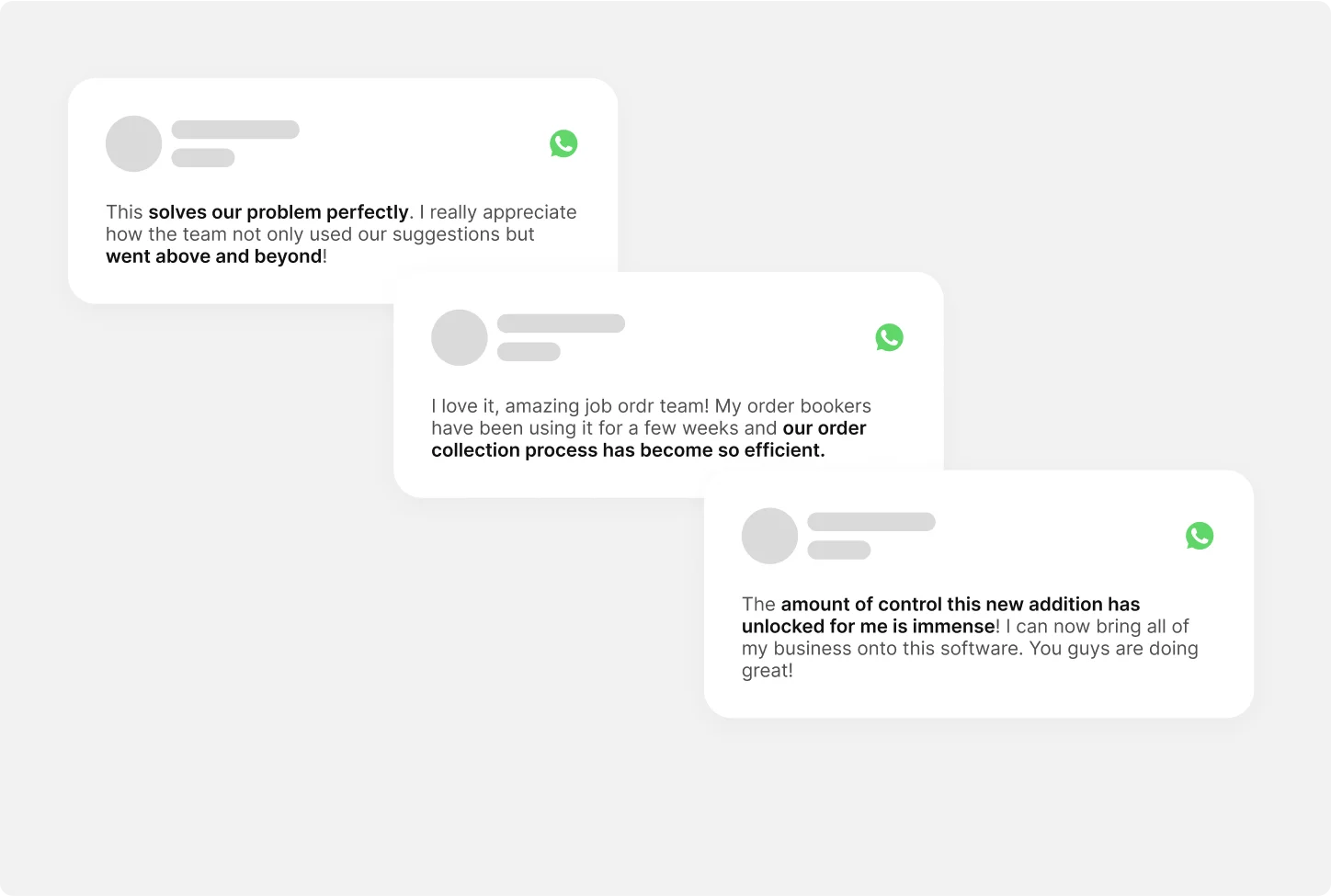
The lean version of MAC was largely well-received, with only a few customers requiring advanced permissions management. Nearly 80% of the distributors on the waitlist migrated to Ordr following its release.
Over subsequent months, demand for advanced permission management decreased, indicating the lean version sufficed for the majority of distributors in Pakistan. The release of the comprehensive version was consequently put on hold.
waitlist migration rate
Learnings
Build Step by Step
This project highlighted the importance of understanding customer needs, conducting thorough competitive analysis, and being adaptable in product development.
- 1. Continuously involve end customers in the design process and dig deeper when they respond with “this looks good”, as that often masks unspoken needs.
- 2. Prepare for the worst and break big projects into smaller chunks. This allows for faster testing, and if something fails, it fails fast rather than at the end of a long delivery cycle.
- 3. Push engineers to really understand flows and features during feasibility reviews. Concerns surfaced at the time of execution can seriously hurt timelines.
Interested in working together? Get in touch.